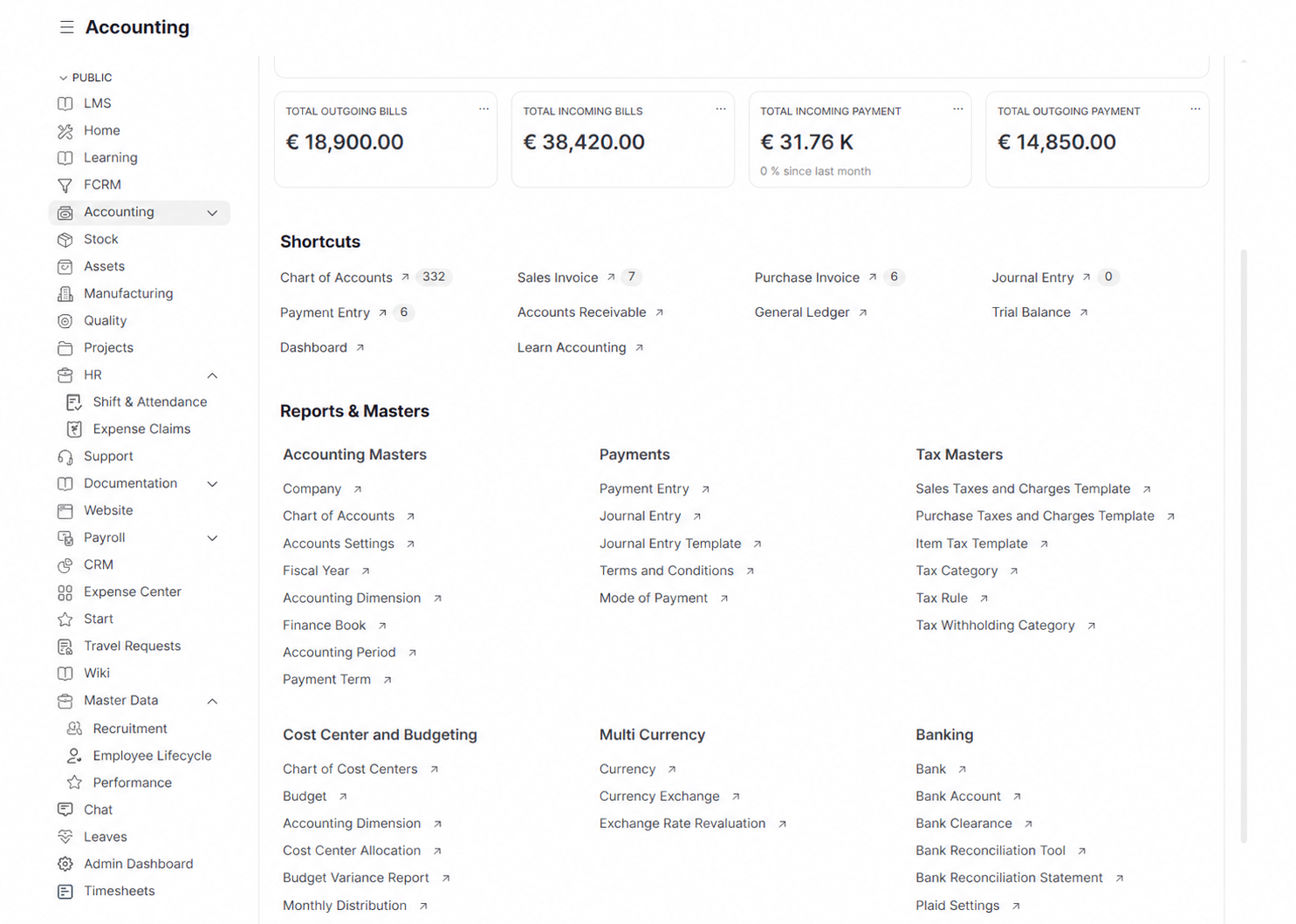
General Ledger
Maintain the chart of accounts and record the financial story of your business.
Manage the general ledger, receivables, payables, invoicing, payments, taxes, and financial statements from one finance workspace.
WerkIQ Accounting
WerkIQ Accounting connects customers, suppliers, invoices, payments, bank activity, and reporting so finance teams can close periods with more confidence and less reconciliation work.
How it works
Each step stays connected, so information moves forward without re-entry, hidden handoffs, or separate spreadsheets.
Maintain the chart of accounts and record the financial story of your business.
Chart of accounts
Invoice customers and keep collections visible.
Sales invoices
Manage supplier bills, approvals, and payment obligations.
Purchase invoices
Keep bank transactions and payment records aligned with the ledger.
Bank accounts
See it in action
Explore the screens your teams use every day—from overview and planning to the records that keep work accountable.
Maintain the chart of accounts and record the financial story of your business.
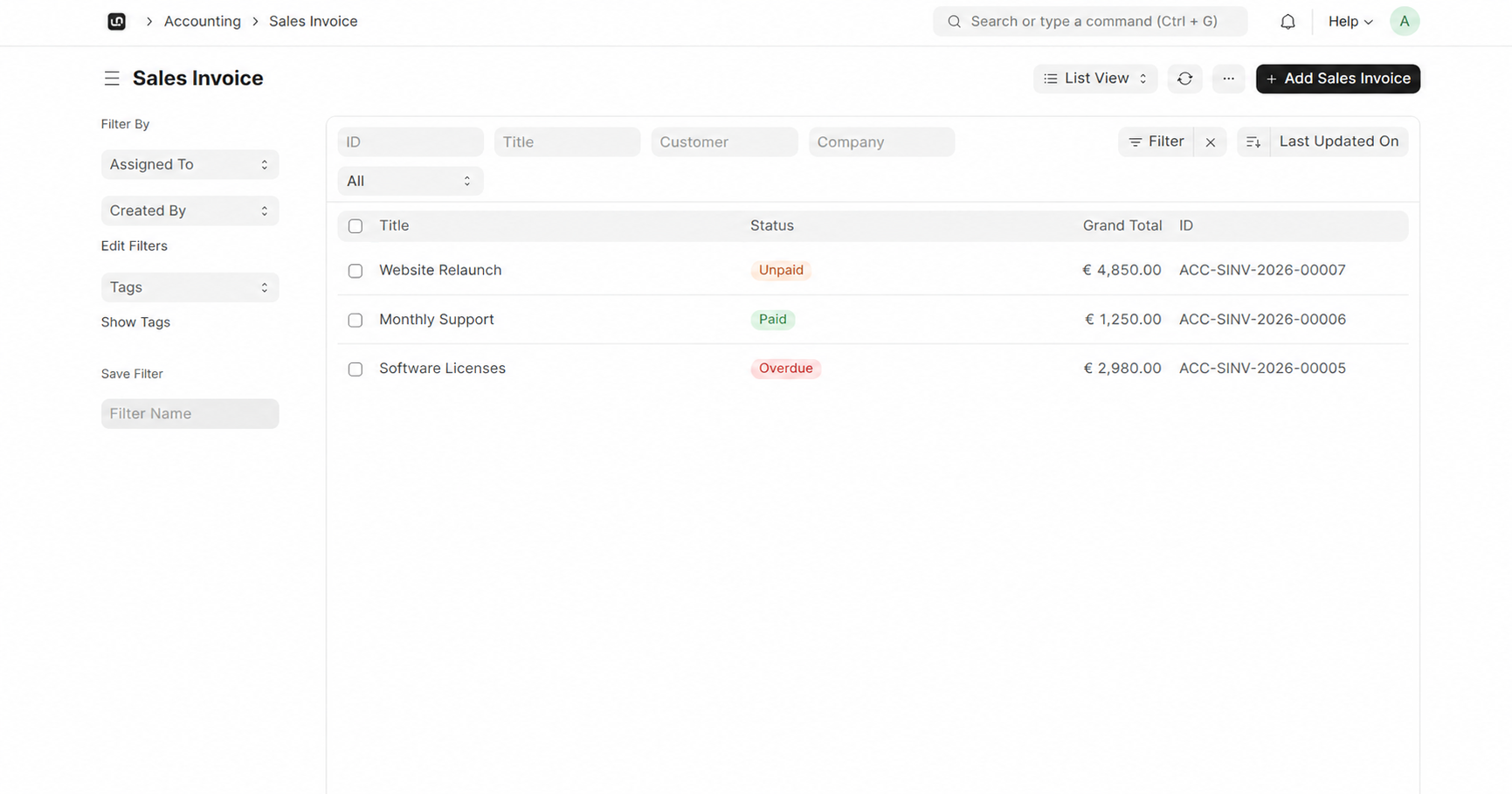
Invoice customers and keep collections visible.
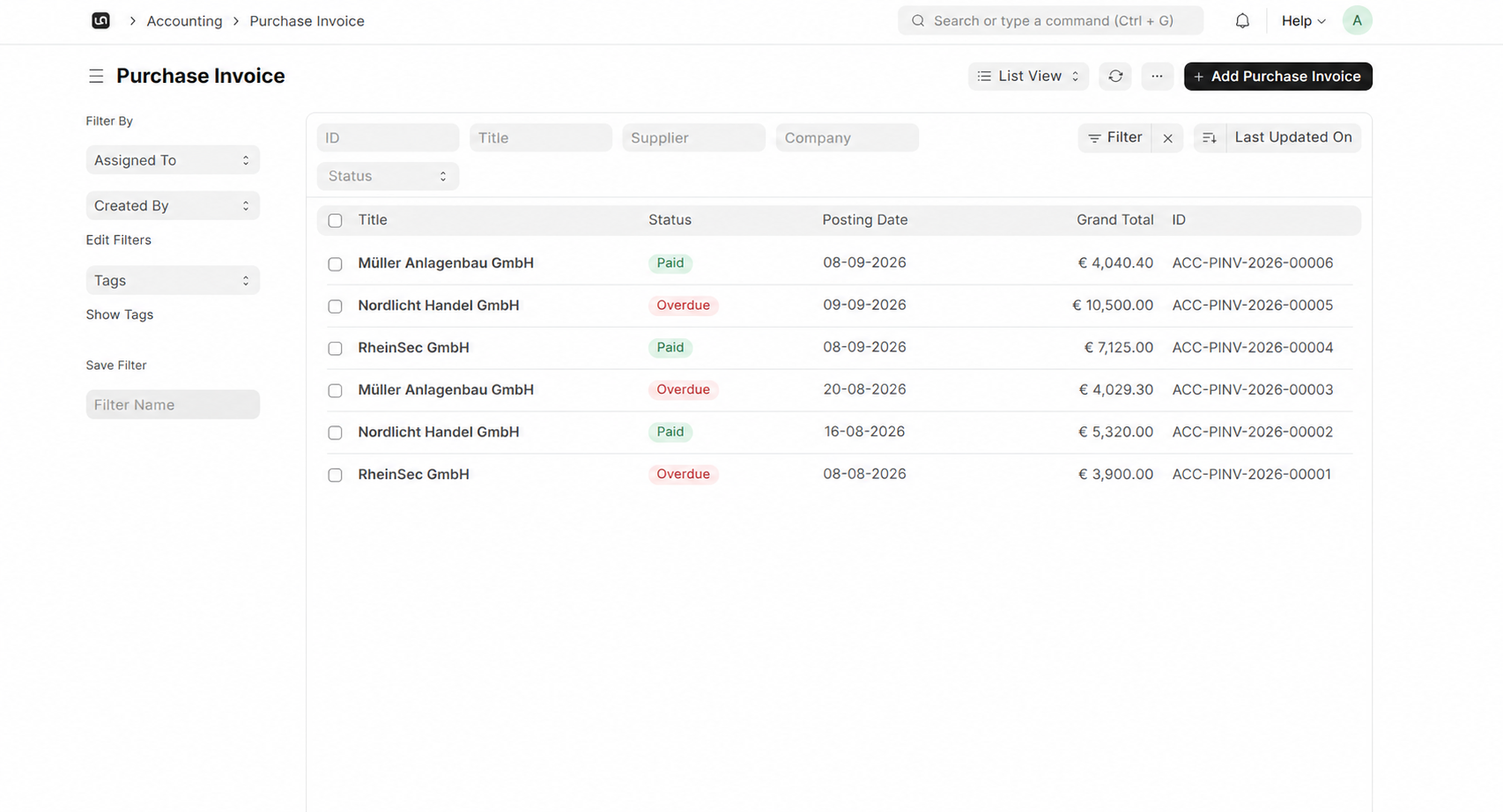
Manage supplier bills, approvals, and payment obligations.
Maintain the chart of accounts and record the financial story of your business.
Invoice customers and keep collections visible.
Manage supplier bills, approvals, and payment obligations.
Keep bank transactions and payment records aligned with the ledger.
Configure taxes and keep closing tasks under control.
Turn accounting data into practical financial decisions.
Automate
Automate recurring checks, approvals, and payment reminders.
Reports Include
Review the numbers that keep the business moving.
Keep financial activity connected across sales, buying, payroll, and expenses.
Route entries, invoices, and payments through accountable approval steps.
Reduce reconciliation and period-end follow-up with connected records.
Support separate entities, branches, and reporting structures.
Maintain transaction history and supporting records in context.
Give leaders current financial reports without spreadsheet rebuilding.
Connect accounting with banking, payments, payroll, and business operations.
Swipe or use arrows to browse integrations
Features
Protect financial records with clear controls.
Yes. Manage customer invoices, supplier bills, payment records, and aging views in one workspace.
Give finance a connected accounting workspace for books, invoices, payments, and reporting.