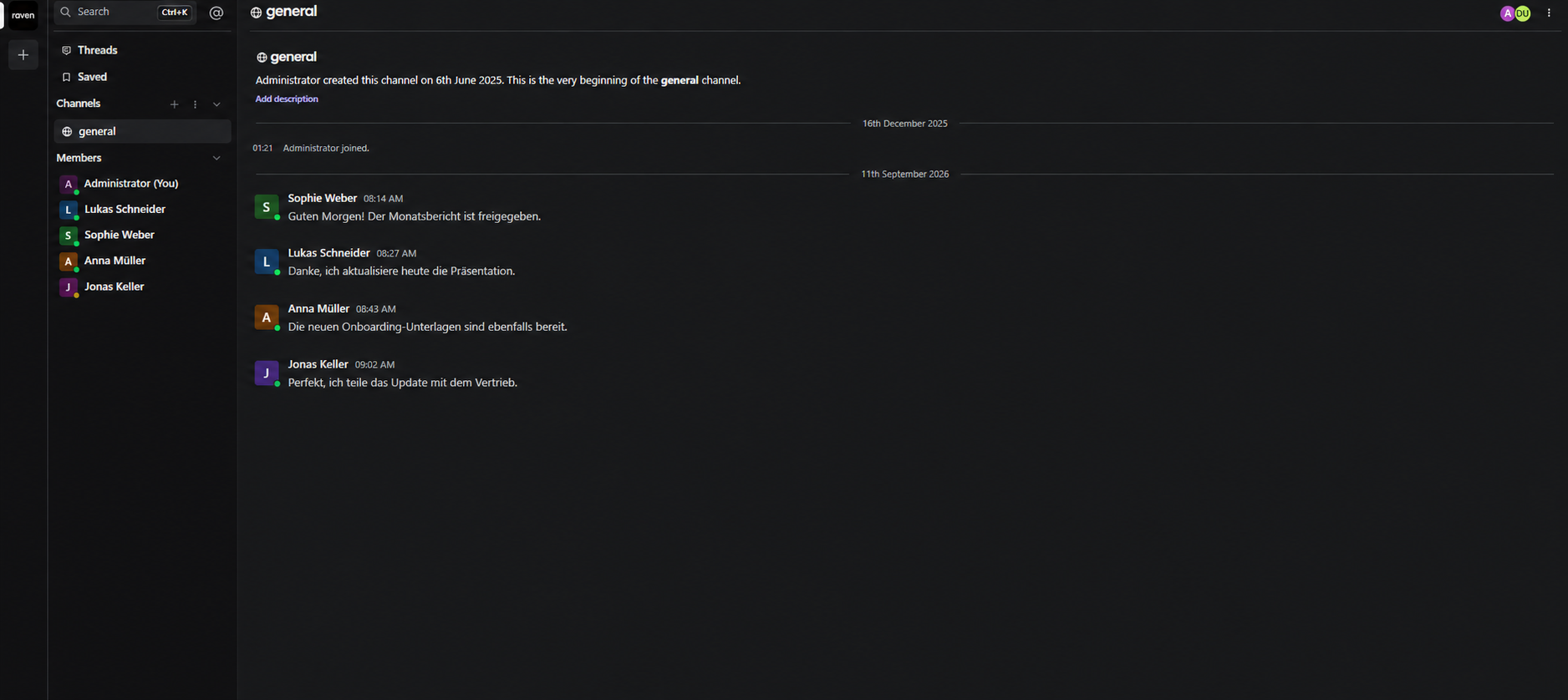
Channels
Support open, public, and private channels for team discussions, along with direct messaging.
WerkIQ Chats is a simple work messaging tool for real-time collaboration and team communication, with open, public, and private channels plus direct messages for focused conversations.
WerkIQ Chats
Create spaces for company-wide updates, team discussions, private work, and one-to-one messages. WerkIQ Chats keeps people connected while giving administrators clear control over the building blocks of workplace messaging.
How it works
Each step stays connected, so information moves forward without re-entry, hidden handoffs, or separate spreadsheets.
Support open, public, and private channels for team discussions, along with direct messaging.
Open channels
Manage the people who can participate in workplace conversations.
User records
Organize conversations around the teams, projects, and workspaces that matter.
Workspace creation
Share updates quickly and make collaboration more expressive and useful.
Message history
See it in action
Explore the screens your teams use every day—from overview and planning to the records that keep work accountable.
Support open, public, and private channels for team discussions, along with direct messaging.
Support open, public, and private channels for team discussions, along with direct messaging.
Manage the people who can participate in workplace conversations.
Organize conversations around the teams, projects, and workspaces that matter.
Share updates quickly and make collaboration more expressive and useful.
Extend conversations with configurable AI helpers for common work tasks.
Connect messages with actions and notifications from the rest of your workspace.
Automate
Connect messages to the work happening across your organization.
Reports Include
Understand how your workspaces and channels are organized.
Give teams the messaging essentials without unnecessary complexity.
Support open, public, private, and direct conversations in one tool.
Keep messages connected to the workspaces and documents people use.
Add bots, functions, templates, and prompts to support everyday work.
Manage users, members, channels, and chat settings centrally.
Help distributed teams communicate and make decisions quickly.
Connect conversations with documents and workplace workflows.
Swipe or use arrows to browse integrations
Features
Control who can access users, workspaces, channels, and messages.
Yes. WerkIQ Chats supports open, public, and private channels alongside direct messages.
Give people a simple messaging workspace with flexible channels, direct communication, and useful AI connections.