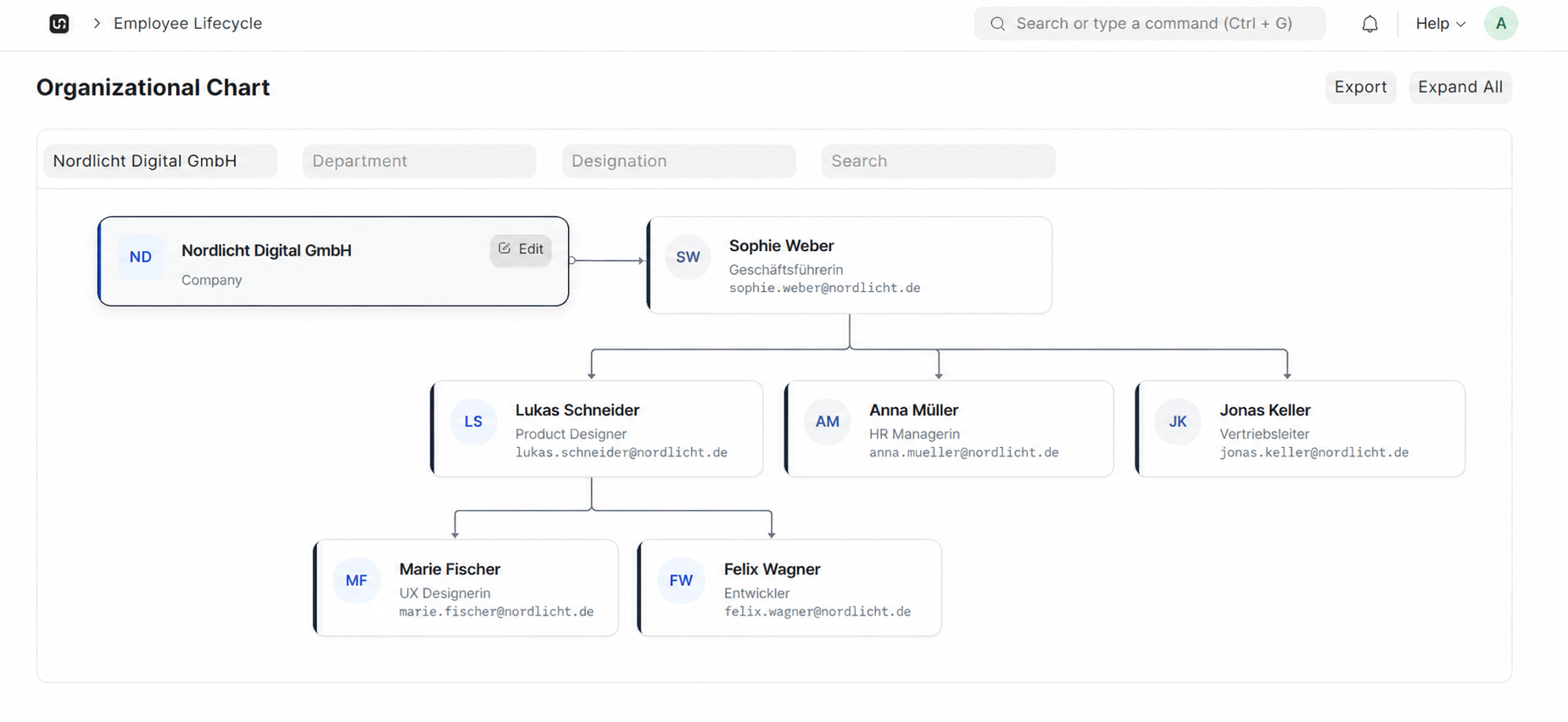
Interactive Org Chart
Explore your company structure visually.
Map departments, managers, and reporting lines in one interactive org chart. Keep structure visible for HR, leaders, and employees, always in sync with your people data.
WerkIQ Organizational Chart
WerkIQ Organizational Chart turns employee records and manager assignments into a live company tree. Update a role once and the chart, directories, and reporting views stay accurate across the platform.
How it works
Each step stays connected, so information moves forward without re-entry, hidden handoffs, or separate spreadsheets.
Explore your company structure visually.
Multi-level hierarchy view
Define who reports to whom with clarity.
Primary manager assignment
Organize people by structure, not just names.
Department hierarchy
Plan structure before and after hiring.
Open position markers
See it in action
Explore the screens your teams use every day—from overview and planning to the records that keep work accountable.
Explore your company structure visually.
Explore your company structure visually.
Define who reports to whom with clarity.
Organize people by structure, not just names.
Plan structure before and after hiring.
Keep the chart tied to live people data.
Show the right structure to the right people.
Automate
Keep structure current without redrawing charts by hand.
Reports Include
Understand structure, depth, and span of control.
The chart follows employee and manager changes automatically.
Leaders and employees can find teams and reporting lines in seconds.
No separate org spreadsheet. Structure comes from your HR records.
Model open roles and planned changes without losing the live view.
Export or present the org chart when leadership needs a clear picture.
Control who can see sensitive units and full company structure.
Connect org structure with the tools your team already uses.
Swipe or use arrows to browse integrations
Features
Control who can view and edit organizational structure.
Yes. When manager or department assignments change in employee data, the organizational chart updates to match.
Replace static org slides with a live organizational chart that stays aligned with your people data.