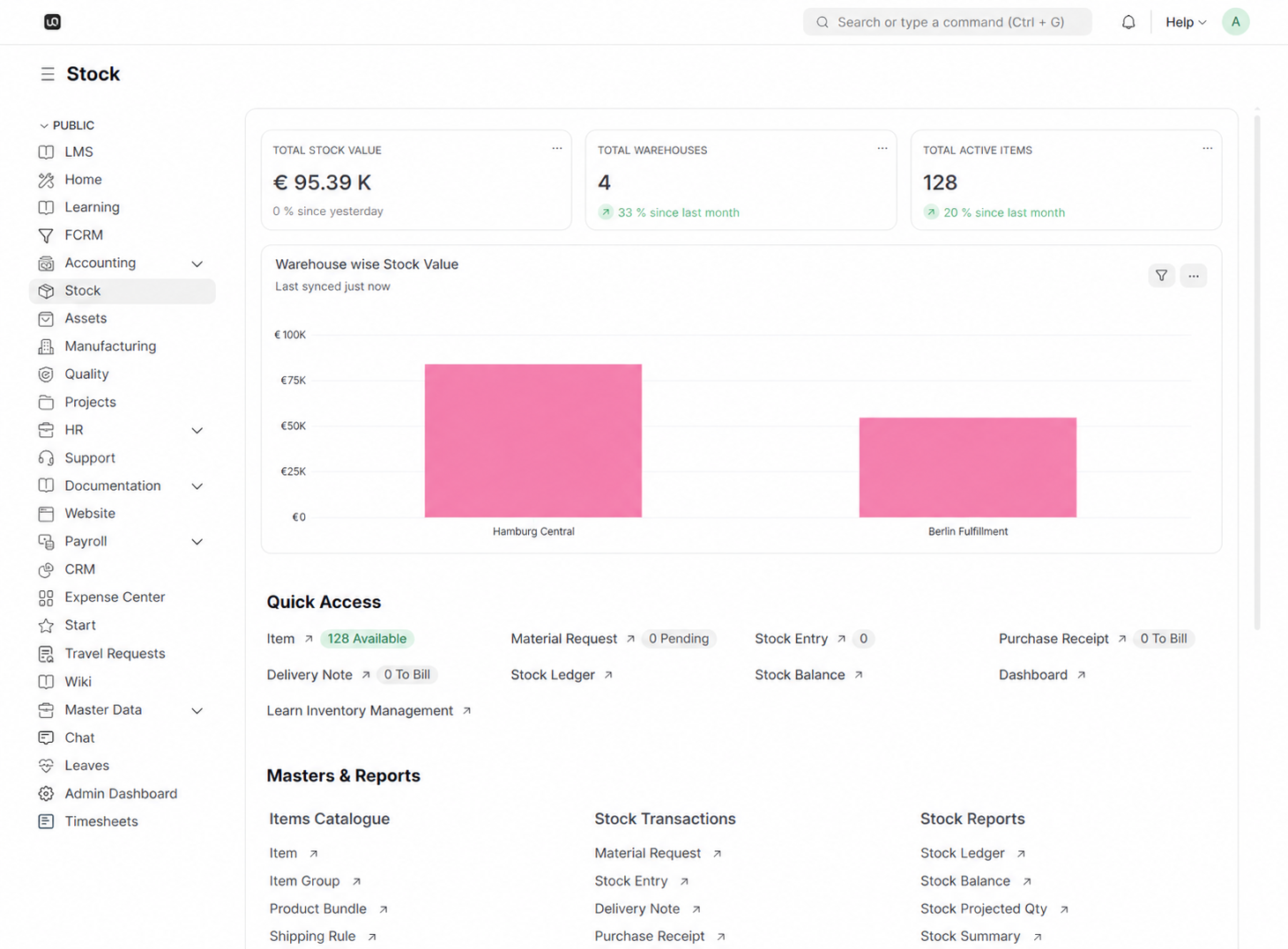
Item Catalog
Maintain a reliable record of products, materials, and stock units.
Track inventory levels, receive goods, move stock between locations, manage batches, and understand valuation without relying on disconnected spreadsheets.
WerkIQ Stock
WerkIQ Stock connects items, warehouses, receipts, deliveries, transfers, adjustments, and valuation so teams can keep inventory accurate from purchase through fulfillment.
How it works
Each step stays connected, so information moves forward without re-entry, hidden handoffs, or separate spreadsheets.
Maintain a reliable record of products, materials, and stock units.
Item records
Know available, reserved, and incoming stock at every location.
Multi-warehouse balances
Record every receipt, issue, transfer, and adjustment.
Goods receipts
Follow stock identity and traceability where it matters.
Batch numbers
See it in action
Explore the screens your teams use every day—from overview and planning to the records that keep work accountable.
Maintain a reliable record of products, materials, and stock units.
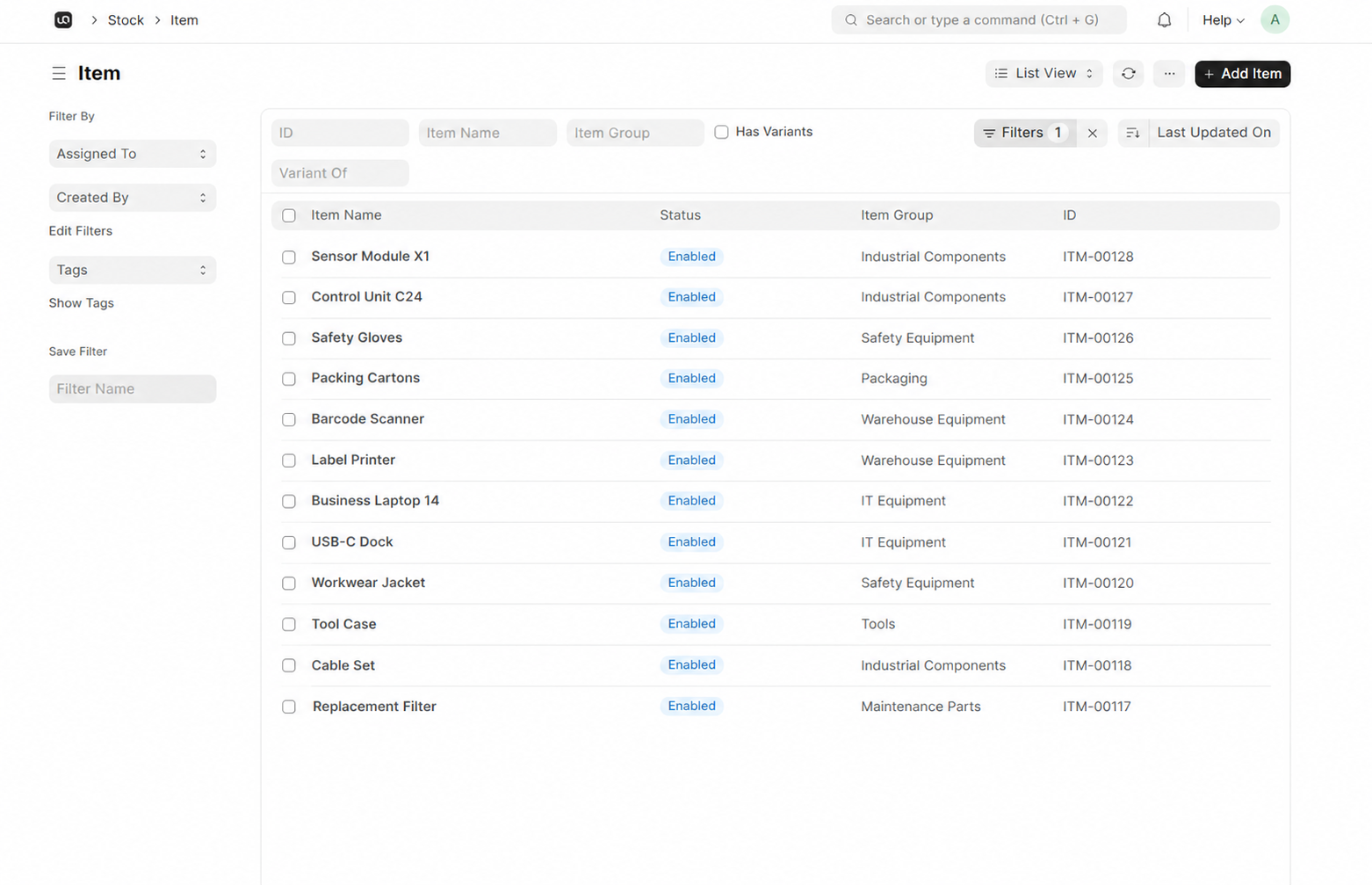
Know available, reserved, and incoming stock at every location.
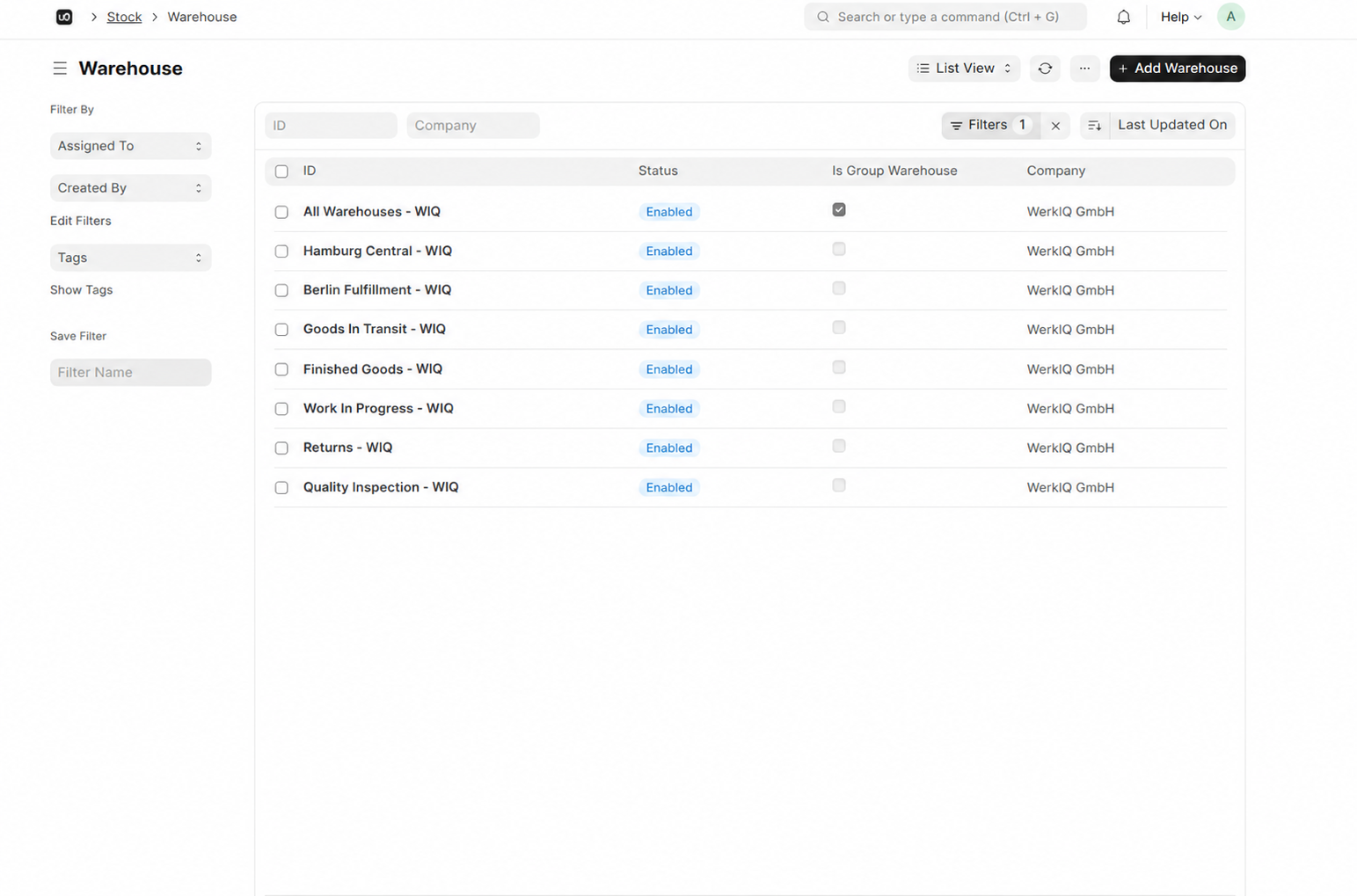
Record every receipt, issue, transfer, and adjustment.
Maintain a reliable record of products, materials, and stock units.
Know available, reserved, and incoming stock at every location.
Record every receipt, issue, transfer, and adjustment.
Follow stock identity and traceability where it matters.
Understand the financial value of inventory across locations.
Spot low stock and plan the next purchase or transfer.
Automate
Automate the signals and updates that prevent stock surprises.
Reports Include
See stock levels, value, movement, and availability by warehouse.
See stock across warehouses, items, batches, and locations.
Keep a clear history of every receipt, issue, transfer, and adjustment.
Keep inventory value aligned with accounting records.
Use levels, lead times, and demand to plan what comes next.
Give teams practical tools for receiving, moving, and counting stock.
Support more items, locations, and operational complexity over time.
Connect stock with buying, accounting, manufacturing, and fulfillment.
Swipe or use arrows to browse integrations
Features
Control who can receive, move, adjust, and report on inventory.
Yes. Track stock balances, movements, and availability by warehouse and location.
Give operations and finance a connected inventory workspace for stock, warehouses, movements, and valuation.