Project Planning
Define scope, owners, dates, priorities, and delivery expectations.
- Project templates
- Start and end dates
- Project owners
- Customer and cost center links
Plan work, assign tasks, manage milestones, capture time, and keep project budgets and delivery status visible from kickoff to completion.
WerkIQ Projects
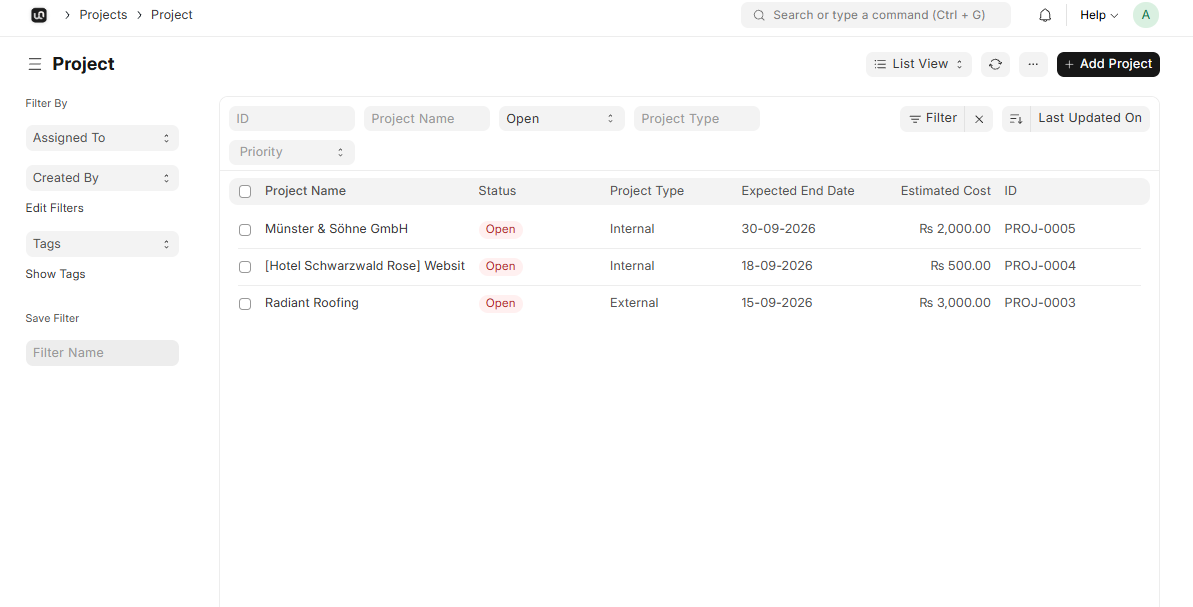
WerkIQ Projects connects tasks, people, timelines, timesheets, budgets, and customer work so teams can deliver with fewer status meetings and surprises.
How it works
Each step stays connected, so information moves forward without re-entry, hidden handoffs, or separate spreadsheets.
Define scope, owners, dates, priorities, and delivery expectations.
Project templates
Break work into accountable tasks and keep blockers visible.
Task assignment
Track important outcomes and delivery checkpoints.
Milestone planning
Plan people and capacity around the work that matters most.
Team assignments
Define scope, owners, dates, priorities, and delivery expectations.
Break work into accountable tasks and keep blockers visible.
Track important outcomes and delivery checkpoints.
Plan people and capacity around the work that matters most.
Capture project effort and costs for accurate delivery and billing decisions.
Compare planned costs, actual effort, and financial progress.
Automate
Automate the follow-ups that keep delivery on schedule.
Reports Include
See delivery progress, resource use, time, and costs in one reporting view.
Connect plans, tasks, people, time, and costs in one project record.
Every task and milestone has an accountable owner and visible status.
Allocate work with a better view of capacity and competing priorities.
Track planned and actual project costs before surprises grow.
Link projects to customers, work, and delivery outcomes.
Turn project activity into practical delivery and planning insights.
Connect projects with time, finance, communication, and customer workflows.
Swipe or use arrows to browse integrations
Features
Control who can view, assign, approve, and manage project work.
Yes. Create task plans, assign owners, track dependencies, and monitor milestones from the project workspace.
Bring planning, delivery, time, resources, and budgets into one connected project workspace.