WerkIQ Go

Everyday work, handled from one mobile workspace

WerkIQ Go brings attendance, employee requests, documents, payslips, notifications, and support into one focused mobile experience. Employees complete routine work in minutes while every action stays connected to the central WerkIQ platform.

WerkIQ Go
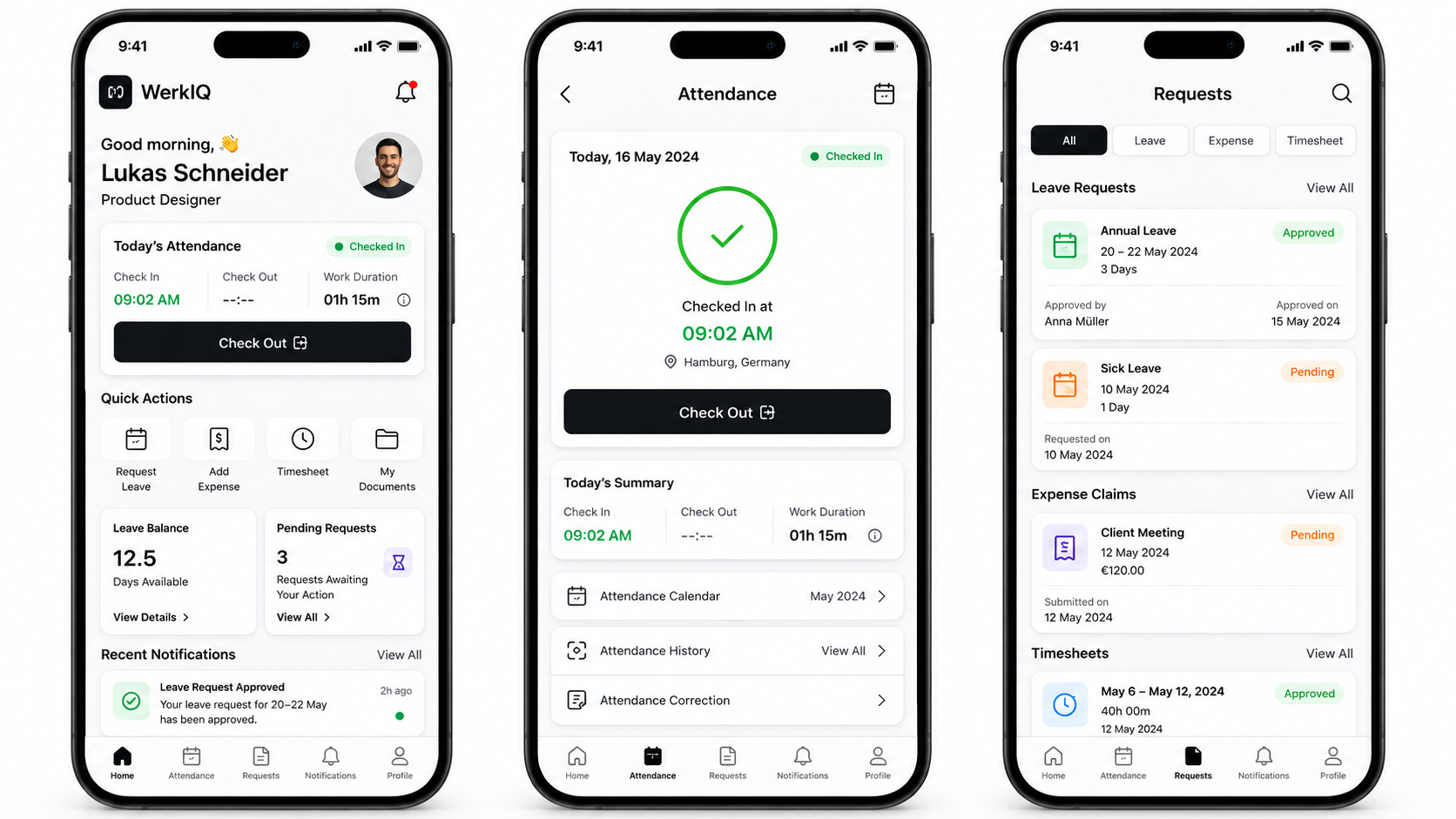
WerkIQ Go mobile dashboard, attendance check-in, and employee requests on three smartphones
The Workplace, Within Reach

Give employees one clear place to act, check, and stay informed.

From a morning check-in in Hamburg to a leave request, travel receipt, project timesheet, or payslip download, WerkIQ Go removes the desktop bottleneck from everyday employee services.

How it works

A clear path through WerkIQ Go

Each step stays connected, so information moves forward without re-entry, hidden handoffs, or separate spreadsheets.

  1. 1

    Attendance & Check-In

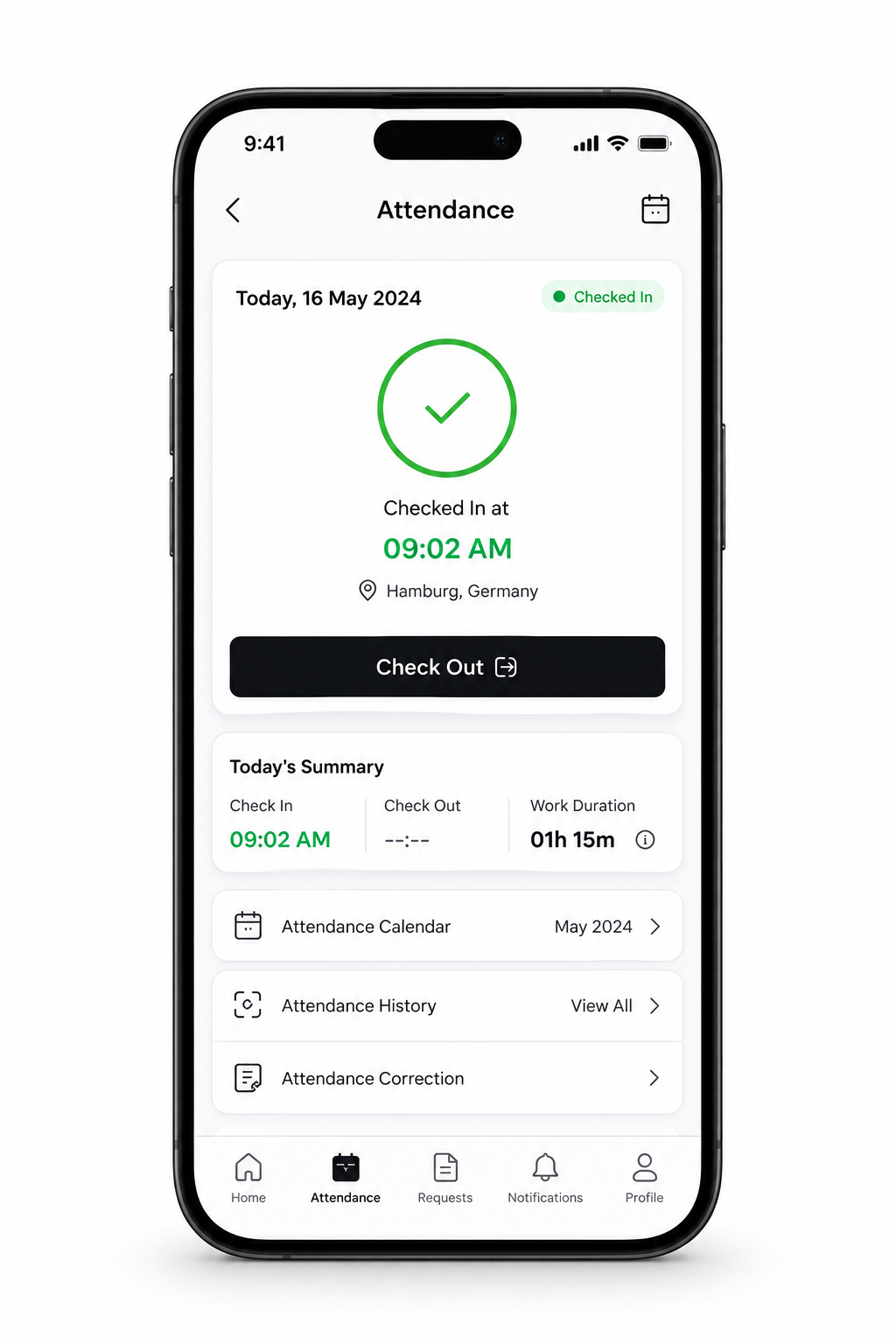
    Record the working day with a fast mobile check-in and a clear view of time already worked.
    One-tap check-in and check-out

  2. 2

    Unified Request Hub

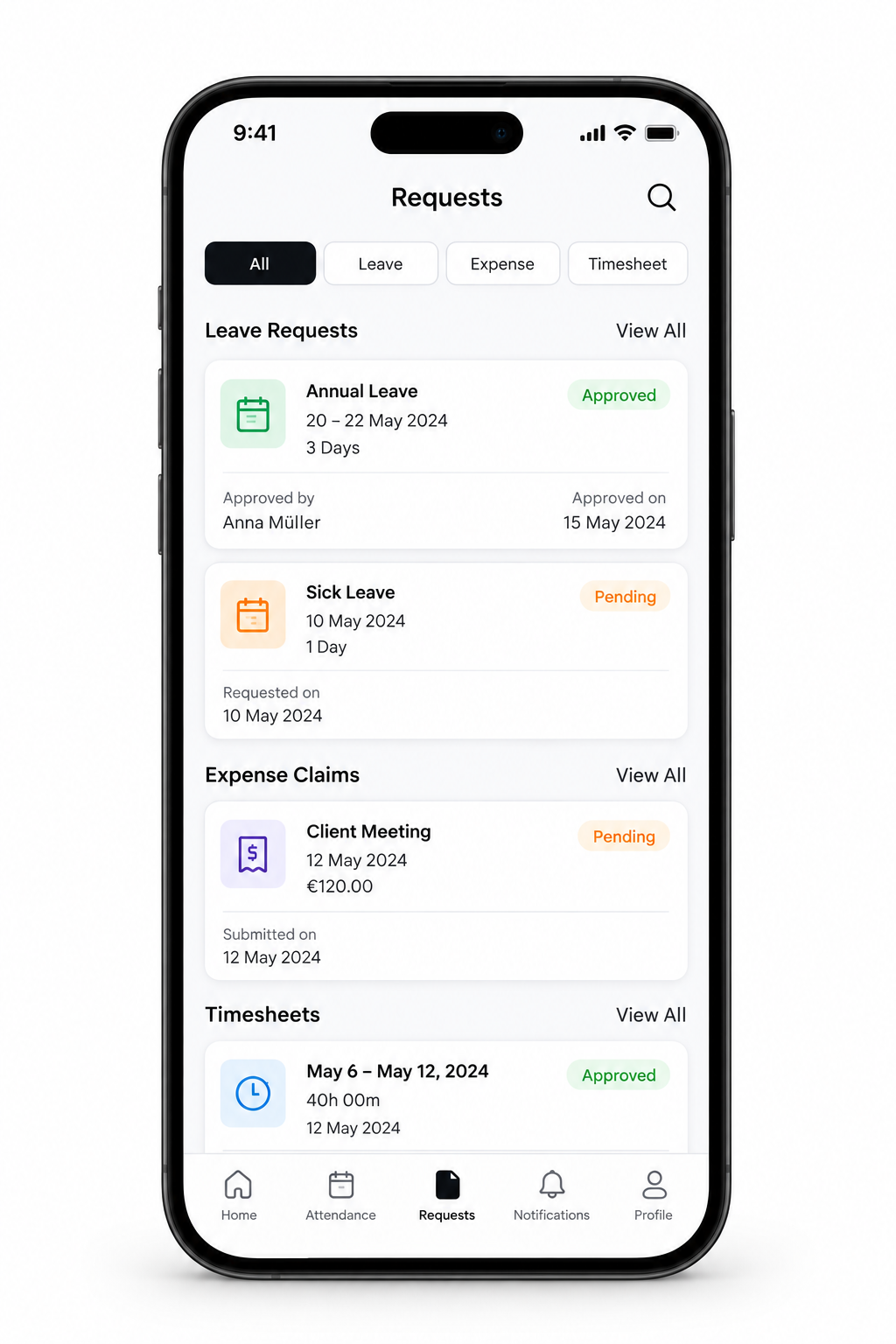
    See leave, expense, and timesheet requests together with their current approval status.
    All-request overview

  3. 3

    Guided Mobile Submissions

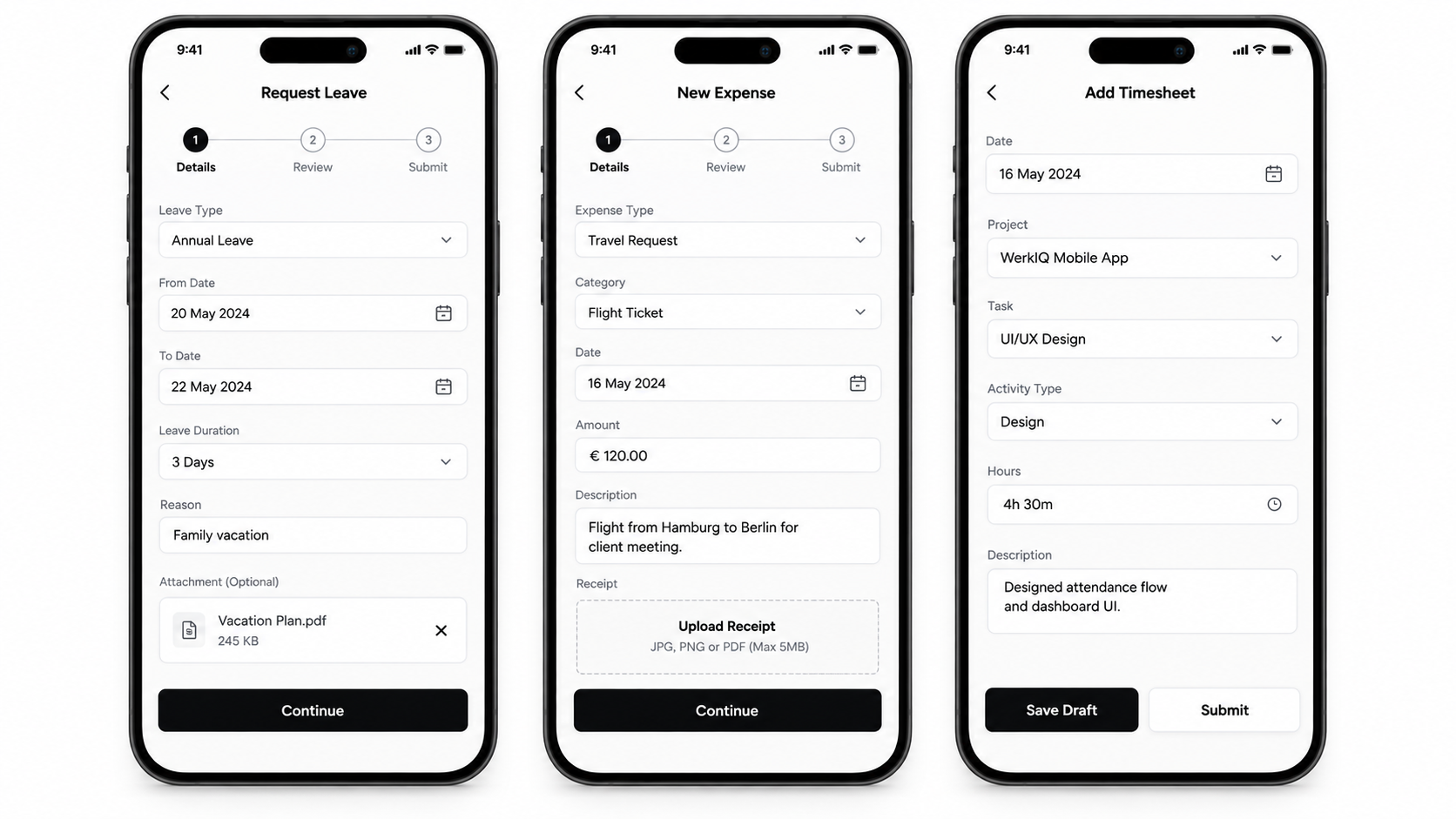
    Use simple, step-by-step forms for leave, travel expenses, receipts, and project time.
    Leave dates, duration, and reason

  4. 4

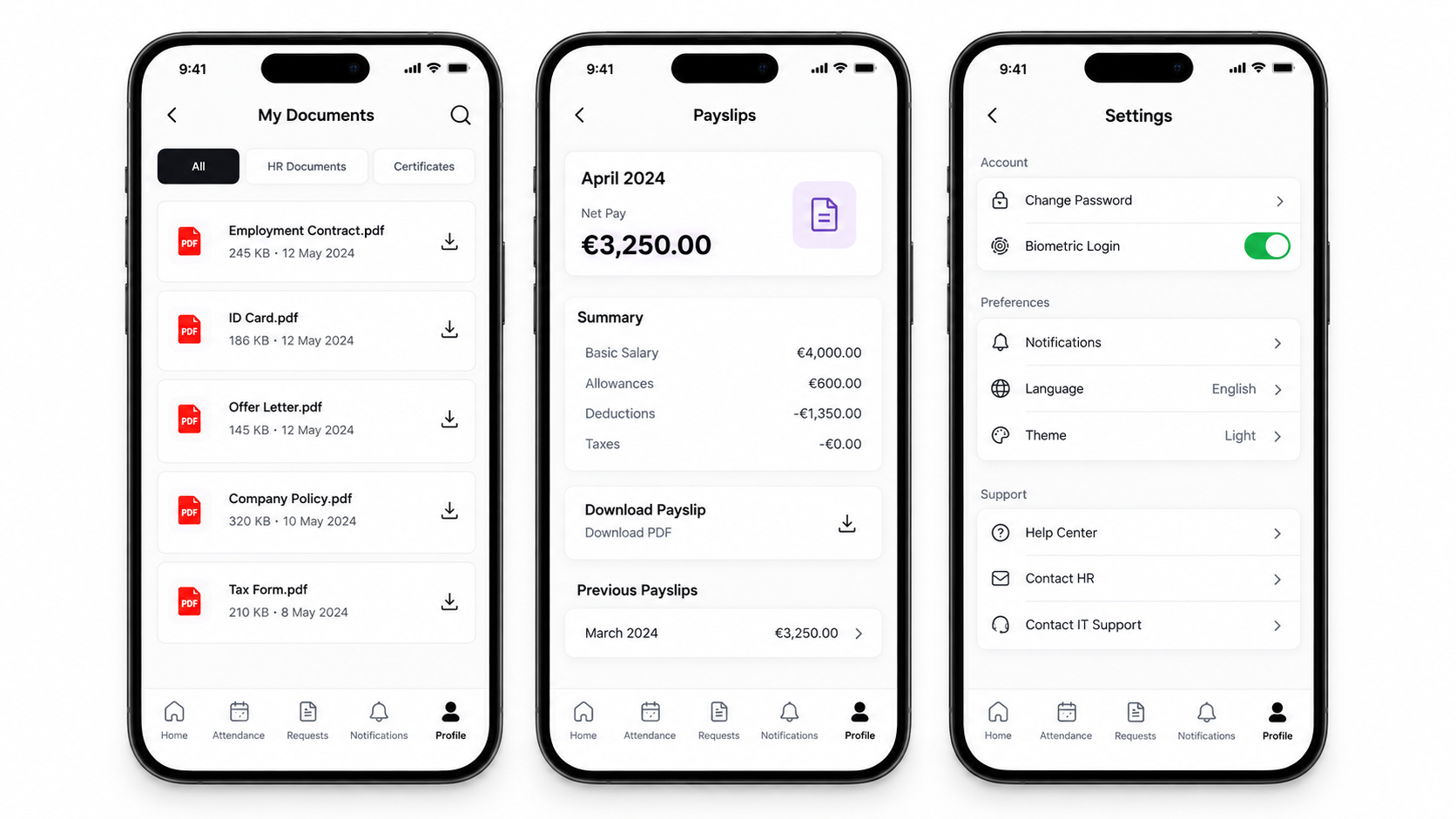
    Documents, Payslips & Settings

    Put important employee records and personal security controls in a private mobile space.

    Employment documents

See it in action

Real workflows, shown clearly

Explore the screens your teams use every day—from overview and planning to the records that keep work accountable.

Attendance & Check-In interface in WerkIQ

Attendance & Check-In

Record the working day with a fast mobile check-in and a clear view of time already worked.

Unified Request Hub interface in WerkIQ

Unified Request Hub

See leave, expense, and timesheet requests together with their current approval status.

Guided Mobile Submissions interface in WerkIQ

Guided Mobile Submissions

Use simple, step-by-step forms for leave, travel expenses, receipts, and project time.

Documents, Payslips & Settings interface in WerkIQ

Documents, Payslips & Settings

Put important employee records and personal security controls in a private mobile space.

A Complete Mobile Employee Experience

Attendance & Check-In

Record the working day with a fast mobile check-in and a clear view of time already worked.

  • One-tap check-in and check-out
  • Time and location confirmation
  • Live work-duration summary
  • Attendance calendar
  • Attendance history
  • Correction requests
  • Shift-aware attendance records

Unified Request Hub

See leave, expense, and timesheet requests together with their current approval status.

  • All-request overview
  • Leave, expense, and timesheet filters
  • Approved and pending status cards
  • Approver visibility
  • Submission dates
  • Search and request history
  • Manager action queue

Guided Mobile Submissions

Use simple, step-by-step forms for leave, travel expenses, receipts, and project time.

  • Leave dates, duration, and reason
  • Supporting document uploads
  • Expense type and category
  • Euro amount and receipt capture
  • Project, task, and activity selection
  • Draft and submit actions
  • Review before submission

Documents, Payslips & Settings

Put important employee records and personal security controls in a private mobile space.

  • Employment documents
  • Contracts, ID cards, and policies
  • Monthly payslip summary
  • Downloadable payslip PDFs
  • Previous payslip history
  • Biometric login
  • Language, theme, and notification settings

Leave Management

Help employees plan time away with accurate balances and transparent approvals.

  • Available leave balance
  • Annual and sick leave requests
  • Date and duration calculation
  • Reason and attachment fields
  • Pending and approved states
  • Approver and approval date
  • Leave request notifications

Expense Claims

Capture costs while they happen and keep every receipt connected to the claim.

  • Expense type and category
  • Amount and transaction date
  • Business-purpose description
  • Photo and PDF receipt uploads
  • Draft and review steps
  • Approval status tracking
  • Rejection reason notifications

Project Timesheets

Record accurate project time without returning to a desktop at the end of the day.

  • Project and task selection
  • Activity type
  • Hours and work description
  • Save as draft
  • Submit for approval
  • Weekly timesheet summaries
  • Approval history

Notifications, Profile & Support

Keep employees informed and give them a direct route to HR and IT when help is needed.

  • Approval and rejection alerts
  • Payslip availability notices
  • Attendance reminders
  • Employee profile and ID
  • My requests overview
  • Help Center and Contact HR
  • Contact IT Support

Automate

The Right Update at the Right Moment

WerkIQ Go turns workflow changes into clear mobile actions, without flooding employees with noise.

  • Check-in and check-out reminders
  • Leave approval and rejection alerts
  • Expense claim status updates
  • Timesheet submission reminders
  • Manager approval prompts
  • New payslip notifications
  • Document expiry reminders
  • Attendance correction updates
  • Targeted workplace announcements

Reports Include

Mobile Activity, Connected to the Business

Every action in WerkIQ Go updates the same records used by HR, payroll, finance, and project teams.

  • Mobile attendance activity
  • Check-in location records
  • Leave request status
  • Expense submission and approval status
  • Timesheet hours by project
  • Approval turnaround time
  • Document access activity
  • Payslip delivery status
  • Employee self-service adoption
  • Notification engagement

Why Choose WerkIQ Go

One Mobile Front Door

Attendance, requests, documents, payslips, notifications, and support share one familiar navigation.

Designed for Real Work

Focused forms and quick actions make routine tasks practical on a phone, wherever work happens.

Transparent Requests

Employees can see what is pending, approved, rejected, and who took action.

Connected by Design

Mobile activity updates HR, payroll, projects, expenses, and attendance without duplicate entry.

Private and Secure

Role-based access, biometric login, secure sessions, and audit records protect employee information.

Less Administrative Work

Employees complete common tasks themselves while managers receive the context needed to approve them quickly.

Connected Across WerkIQ

WerkIQ Go works as the mobile layer for the systems employees already use.

Swipe or use arrows to browse integrations

Microsoft 365
Google Workspace
Calendar tools
ERP systems
Email services
REST API
Webhooks

Features

Mobile Security & Privacy

Protect personal, payroll, and workplace data without making the app difficult to use.

  • Role-based mobile access
  • Biometric login
  • Secure authentication and session controls
  • Two-factor authentication
  • Single Sign-On (SSO)
  • Encrypted data in transit and at rest
  • Device and activity audit logs
  • Remote access revocation

Frequently Asked Questions

Employees can check in and out, view attendance history, request leave, submit expenses and timesheets, track approvals, receive notifications, access documents and payslips, update preferences, and contact HR or IT support.

Put the Workplace in Every Employee's Pocket

Give your people a secure, practical mobile workspace for attendance, requests, documents, payslips, approvals, and everyday support.

Prefer to talk live? Book a meeting on Cal.com