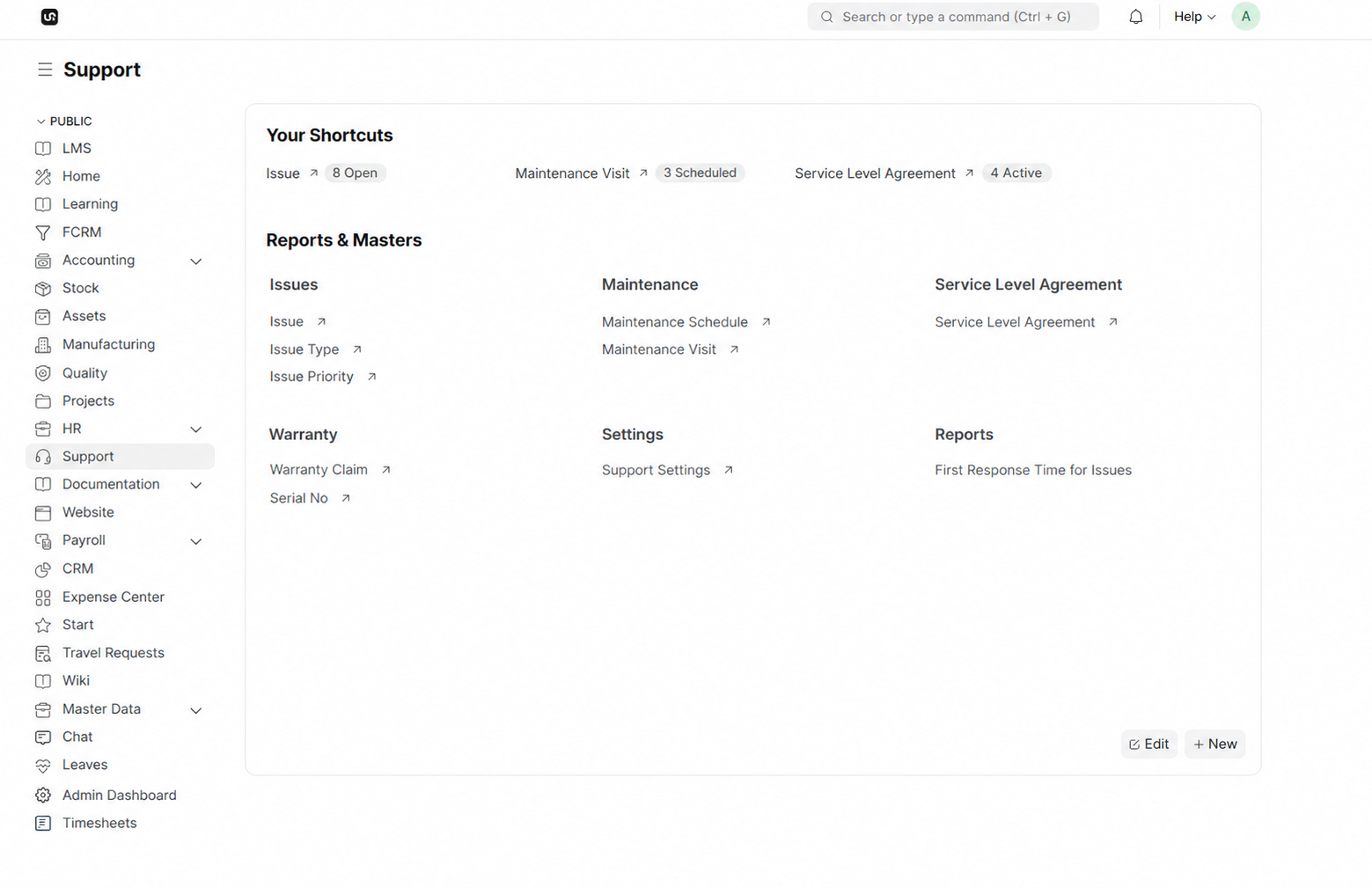
WerkIQ HelpDesk

Resolve every issue with clarity and control

Give service teams one queue for customer issues, priorities, ownership, SLA countdowns, response history, and resolutions—connected to maintenance, warranties, and customer records.

WerkIQ HelpDesk
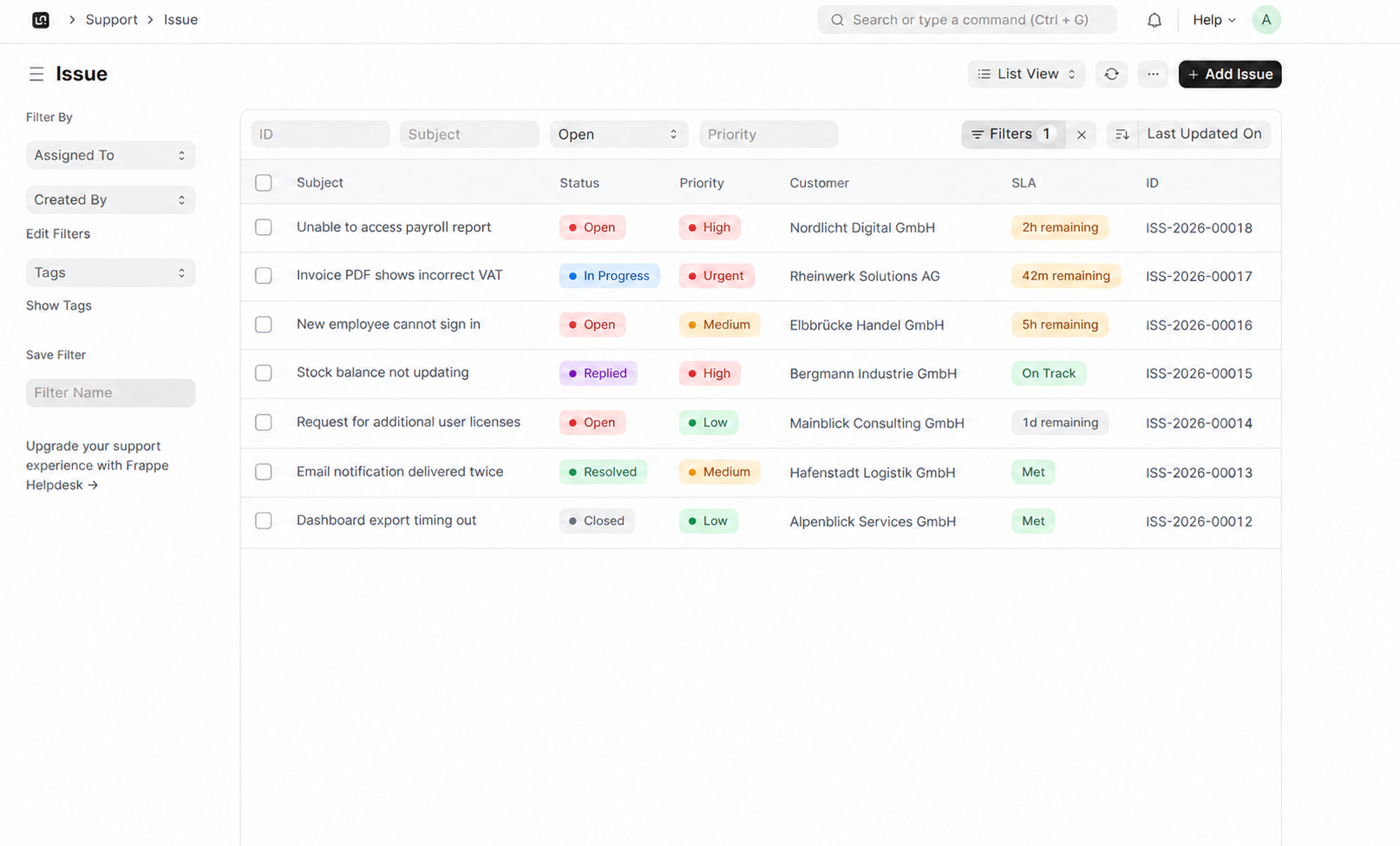
WerkIQ HelpDesk issue queue showing status, priority, customer, and SLA targets
Support That Scales

From first report to verified resolution, every step stays visible.

Capture the issue, identify the customer and issue type, assign a priority, track the first response, document the resolution, and prove that service commitments were met.

How it works

A clear path through WerkIQ HelpDesk

Each step stays connected, so information moves forward without re-entry, hidden handoffs, or separate spreadsheets.

  1. 1

    Issue Management

    Keep every customer problem organized from intake through closure.

    Structured issue records

  2. 2

    Response & Resolution

    Keep customer communication and the technical outcome on the same issue.
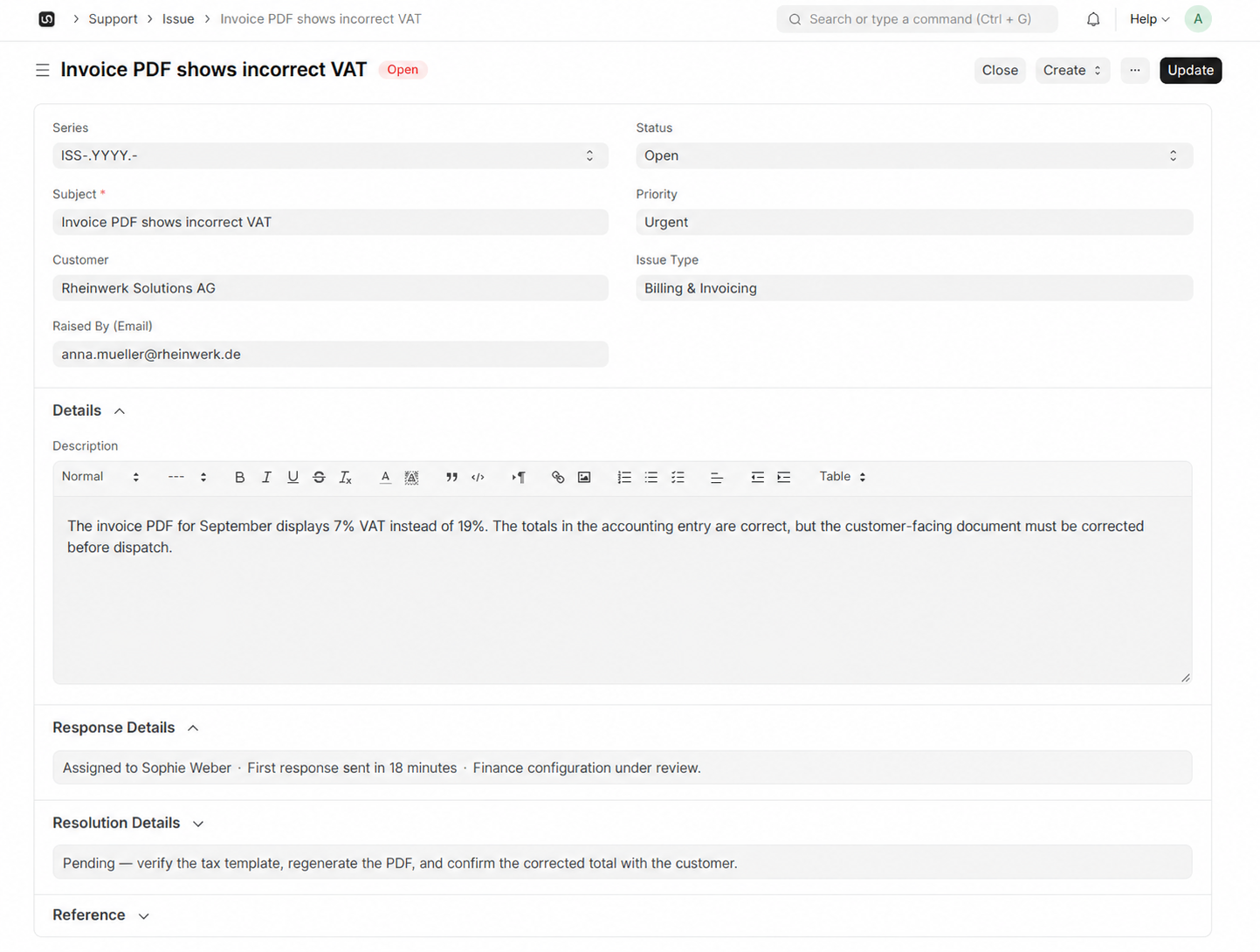
    Raised-by email capture

  3. 3

    Service Level Agreements

    Set response promises and see the remaining time directly in the issue queue.

    Customer-specific SLA policies

  4. 4

    Priorities & Routing

    Route urgent work quickly and give every issue a responsible owner.

    Low, medium, high, and urgent priorities

See it in action

Real workflows, shown clearly

Explore the screens your teams use every day—from overview and planning to the records that keep work accountable.

Issue Management interface in WerkIQ

Issue Management

Keep every customer problem organized from intake through closure.

Response & Resolution interface in WerkIQ

Response & Resolution

Keep customer communication and the technical outcome on the same issue.

Service Level Agreements interface in WerkIQ

Service Level Agreements

Set response promises and see the remaining time directly in the issue queue.

Everything You Need for a Modern HelpDesk

Issue Management

Keep every customer problem organized from intake through closure.

  • Structured issue records
  • Customer and contact details
  • Issue types and priorities
  • Open, in-progress, replied, resolved, and closed states
  • Agent assignment
  • Rich-text descriptions
  • Attachments and references
  • Complete activity history

Response & Resolution

Keep customer communication and the technical outcome on the same issue.

  • Raised-by email capture
  • First-response timestamps
  • Assigned agent visibility
  • Response notes
  • Resolution plans
  • Customer confirmation
  • Closure reasons
  • Reusable response templates

Service Level Agreements

Set response promises and see the remaining time directly in the issue queue.

  • Customer-specific SLA policies
  • First-response targets
  • Resolution targets
  • Live SLA countdowns
  • On-track and met indicators
  • Escalation rules
  • Breach alerts
  • SLA performance history

Priorities & Routing

Route urgent work quickly and give every issue a responsible owner.

  • Low, medium, high, and urgent priorities
  • Issue-type routing
  • Team and agent assignment
  • Workload balancing
  • Priority-based escalation
  • Saved queue filters
  • Bulk assignment and updates

Maintenance Operations

Connect scheduled service work and field visits to the wider support process.

  • Maintenance schedules
  • Planned service visits
  • Technician assignment
  • Visit status and notes
  • Customer and asset links
  • Recurring maintenance
  • Follow-up actions

Warranty & Serial Tracking

Check coverage and product history before deciding the next service action.

  • Warranty claims
  • Serial number records
  • Coverage verification
  • Purchase and installation dates
  • Customer asset history
  • Claim status
  • Repair and replacement records

Dashboards & Reporting

Monitor issue volume, response performance, SLA health, and service workload.

  • Open issue totals
  • First-response time
  • Resolution time
  • SLA compliance
  • Priority and status trends
  • Maintenance visit workload
  • Agent performance

Customer Communication

Keep requesters informed while agents work from a shared service record.

  • Email intake and notifications
  • Acknowledgement messages
  • Status change updates
  • Agent replies
  • Resolution confirmation
  • Customer satisfaction surveys
  • Communication history

Automate

Help Desk Automation

Move issues to the right person and protect every service deadline.

  • Issue assignment by type and priority
  • Automatic status updates
  • SLA escalation rules
  • Immediate acknowledgement emails
  • Follow-up reminders
  • SLA breach warnings
  • Resolution confirmation requests
  • Maintenance visit reminders
  • Automatic closure after confirmation

Reports Include

Reports & Analytics

Measure support performance with real-time insights.

  • Issue volume
  • Resolution time
  • First response time
  • SLA compliance
  • Customer satisfaction (CSAT)
  • Agent performance
  • Open vs resolved issues
  • Priority and issue-type trends
  • Department workload
  • Maintenance visit status

Why Choose WerkIQ HelpDesk

One Service Record

Keep the issue, customer, response, resolution, SLA, and history together.

Faster Response Times

Automate workflows and reduce manual effort.

Better Customer Experience

Keep customers informed at every stage.

SLA Control

Live countdowns and escalations protect response and resolution promises.

Team Collaboration

Enable agents to work together seamlessly.

Scalable for Any Business

Whether you're supporting 100 customers or 100,000, WerkIQ Support grows with your business.

Integrations

Connect with the tools your support team already uses.

Swipe or use arrows to browse integrations

Google Workspace
Microsoft 365
Slack
Microsoft Teams
Email services
Outlook
WhatsApp
GitHub
Zoom
REST API
Webhooks

Features

Security & Permissions

Protect customer data with enterprise-grade security.

  • Role-based access control
  • Department permissions
  • Audit logs
  • Data encryption
  • Two-factor authentication
  • Single Sign-On (SSO)
  • Activity history

Frequently Asked Questions

Yes. Customers can submit tickets through the self-service portal, email, contact forms, or integrated channels.

Turn Every Issue into a Verifiable Resolution

Give your service team a modern Help Desk for issue intake, priorities, SLA control, responses, resolutions, maintenance work, and customer follow-up.

Prefer to talk live? Book a meeting on Cal.com