WerkIQ Shifts & Attendance

Make every shift and check-in count

Plan shifts and rosters, let employees check in from the field, sync biometric logs, correct missed entries, and keep payroll aligned with actual attendance.

WerkIQ Shifts & Attendance

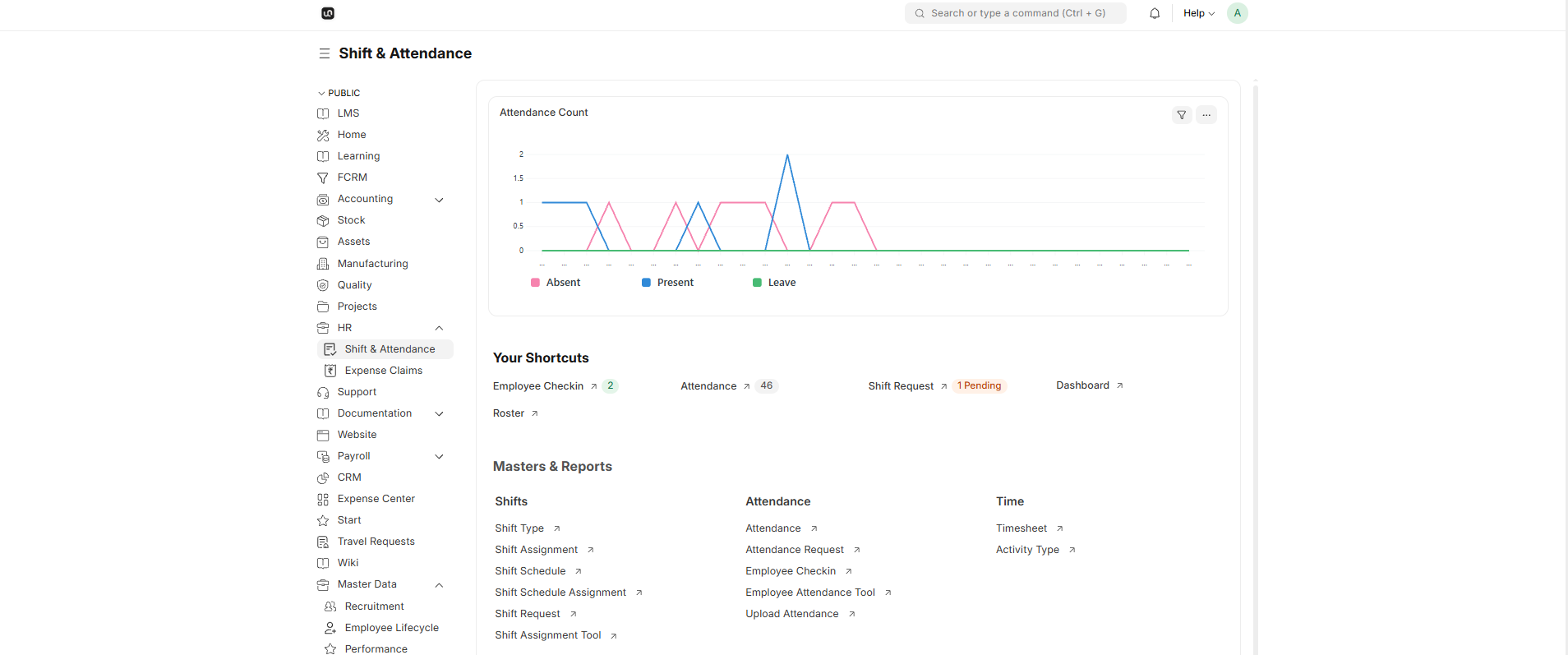
WerkIQ attendance and leave dashboard with calendar and check-in data
Shifts, Attendance, and Payroll

Replace shift registers and spreadsheets with live workforce time data.

Configure working-hour thresholds and grace periods, manage shift requests and rosters, capture location-aware check-ins, and calculate attendance in sync with payroll.

How it works

A clear path through WerkIQ Shifts & Attendance

Each step stays connected, so information moves forward without re-entry, hidden handoffs, or separate spreadsheets.

  1. 1

    Configure Shifts

    Set working-hour thresholds, calculation rules, grace periods, and auto-attendance settings.
    Check-in & check-out

  2. 2

    Shift Requests & Rosters

    Let employees request shifts and give managers a visual roster for planning and swaps.
    Shift templates

  3. 3

    Location-Aware Check-In

    Capture check-in and check-out events from mobile devices with optional location history.

    Biometric integration

  4. 4

    Biometric Integration

    Sync attendance logs from biometric devices across multiple locations.

    Overtime calculation rules

See it in action

Real workflows, shown clearly

Explore the screens your teams use every day—from overview and planning to the records that keep work accountable.

Configure Shifts interface in WerkIQ

Configure Shifts

Set working-hour thresholds, calculation rules, grace periods, and auto-attendance settings.

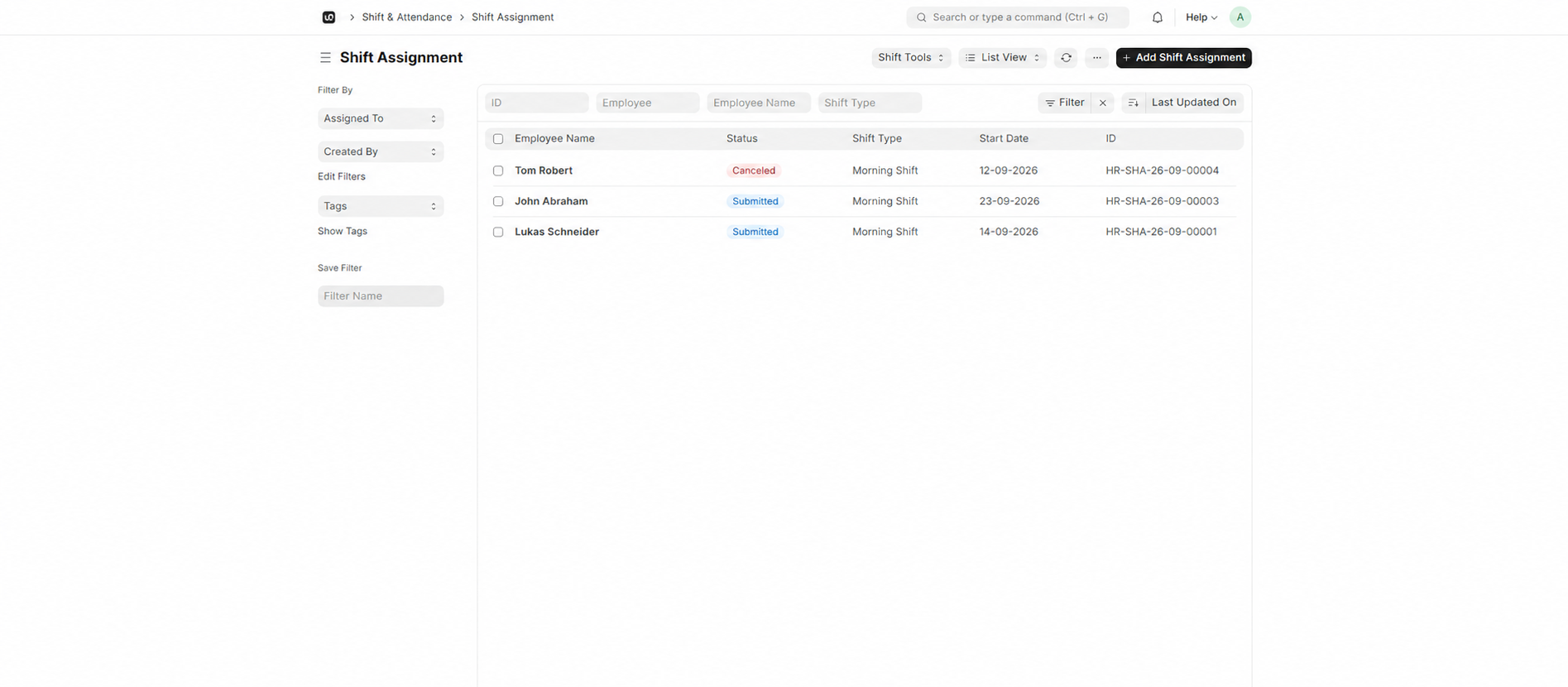
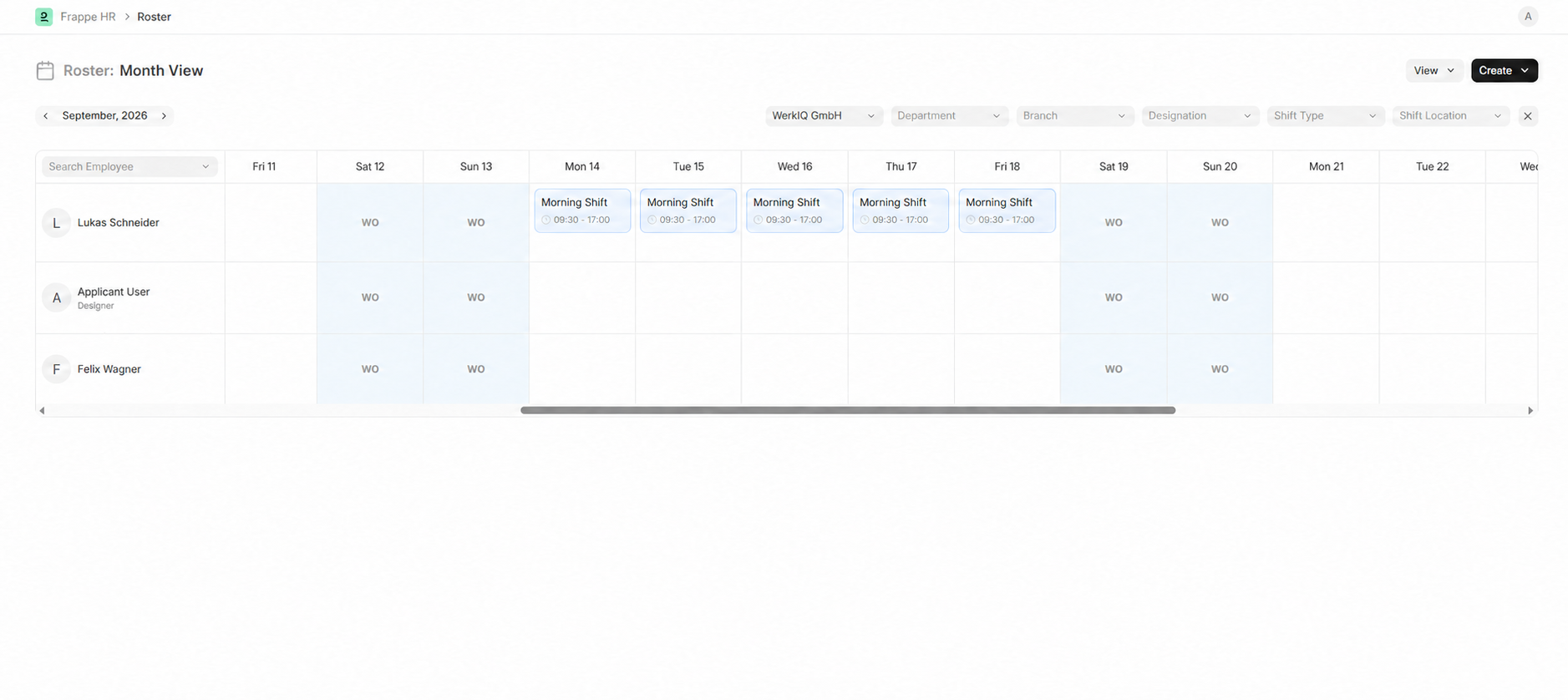
Shift Requests & Rosters interface in WerkIQ

Shift Requests & Rosters

Let employees request shifts and give managers a visual roster for planning and swaps.

Location-Aware Check-In interface in WerkIQ

Location-Aware Check-In

Capture check-in and check-out events from mobile devices with optional location history.

Everything You Need for Shifts & Attendance

Configure Shifts

Set working-hour thresholds, calculation rules, grace periods, and auto-attendance settings.

  • Check-in & check-out
  • Present & absent marking
  • Late arrival tracking
  • Early departure logs
  • Half-day attendance
  • Attendance corrections
  • Daily attendance summary

Shift Requests & Rosters

Let employees request shifts and give managers a visual roster for planning and swaps.

  • Shift templates
  • Rotating schedules
  • Shift assignments
  • Shift swap requests
  • Overtime rules
  • Night shift tracking
  • Schedule calendar view

Location-Aware Check-In

Capture check-in and check-out events from mobile devices with optional location history.

  • Biometric integration
  • GPS-based check-in
  • Remote attendance
  • Geofence validation
  • Mobile check-in
  • Selfie verification
  • Device-based logging
Learn more

Biometric Integration

Sync attendance logs from biometric devices across multiple locations.

  • Overtime calculation rules
  • Daily & weekly thresholds
  • Overtime approval
  • Comp-off tracking
  • Overtime reports
  • Payroll integration
  • Department overtime summary

Auto-Attendance

Calculate working hours and flag late entries or early exits from check-ins and shift settings.

  • Multiple leave types
  • Accrual rules
  • Carry-forward policies
  • Probation leave rules
  • Department-specific policies
  • Leave eligibility
  • Policy effective dates

Attendance Requests

Give employees a simple way to correct missed swipes or inaccurate attendance records.

  • Leave application forms
  • Real-time leave balances
  • Half-day leave support
  • Multi-day requests
  • Leave cancellation
  • Balance adjustments
  • Leave history

Bulk Attendance Tools

Mark attendance at scale or upload records from spreadsheets and data imports.

  • Manager approvals
  • Multi-level approval chains
  • Approval delegation
  • Rejection with comments
  • Approval notifications
  • Escalation on delay
  • Team leave calendar

Attendance Reports

Review day-wise attendance, late entries, early exits, leaves, and shift summaries.

  • Public holiday lists
  • Regional calendars
  • Optional holidays
  • Holiday calendar sync
  • Leave overlap detection
  • Holiday accrual rules
  • Calendar exports

Automate

Powerful Attendance & Leave Automation

Reduce manual tracking and approval follow-ups.

  • Leave approval routing
  • Balance update on approval
  • Absentee alerts
  • Late arrival notifications
  • Leave reminder emails
  • Holiday calendar updates
  • Overtime threshold alerts
  • Attendance sync to payroll
  • Manager approval reminders

Reports Include

Reports & Analytics

Analyze attendance patterns and leave utilization.

  • Daily attendance summary
  • Monthly attendance register
  • Absenteeism reports
  • Late arrival analysis
  • Overtime reports
  • Leave balance summary
  • Leave utilization trends
  • Department leave calendar
  • Holiday calendar report
  • Attendance vs payroll variance

Why Choose WerkIQ Attendance & Leave

Unified Time Management

Attendance and leave in one system with shared employee data.

Payroll Connected

Approved leave and overtime flow directly into payroll calculations.

Flexible Policies

Configure leave types, accruals, and rules for any workforce model.

Mobile Friendly

Employees check in and request leave from any device.

Manager Visibility

Team calendars show who is in, out, or on leave at a glance.

Biometric Ready

Integrate with biometric devices for accurate office attendance.

Integrations

Connect time tracking with HR, payroll, and devices.

Swipe or use arrows to browse integrations

Microsoft 365
Google Workspace
Slack
Microsoft Teams
Outlook
Calendar tools
Biometric devices
Time clocks
LDAP / SSO
REST API
Webhooks

Features

Security & Permissions

Control who can mark, approve, and view attendance data.

  • Role-based attendance access
  • Manager approval permissions
  • GPS check-in validation
  • Audit logs on corrections
  • Two-factor authentication
  • Single Sign-On (SSO)
  • Leave balance access controls

Frequently Asked Questions

Yes. Attendance records, overtime, and approved leave automatically flow into payroll.

Take Control of Time and Attendance

Give your HR team a modern attendance and leave system that keeps time data accurate and approvals moving.

Prefer to talk live? Book a meeting on Cal.com